
Prescriptions
Digital prescription softwarewith print-ready Rx sheets
Add medicines during consultation, preview the prescription with your clinic branding, and print for the patient — with a clinic-wide list of saved prescriptions.
Capabilities
What you can do
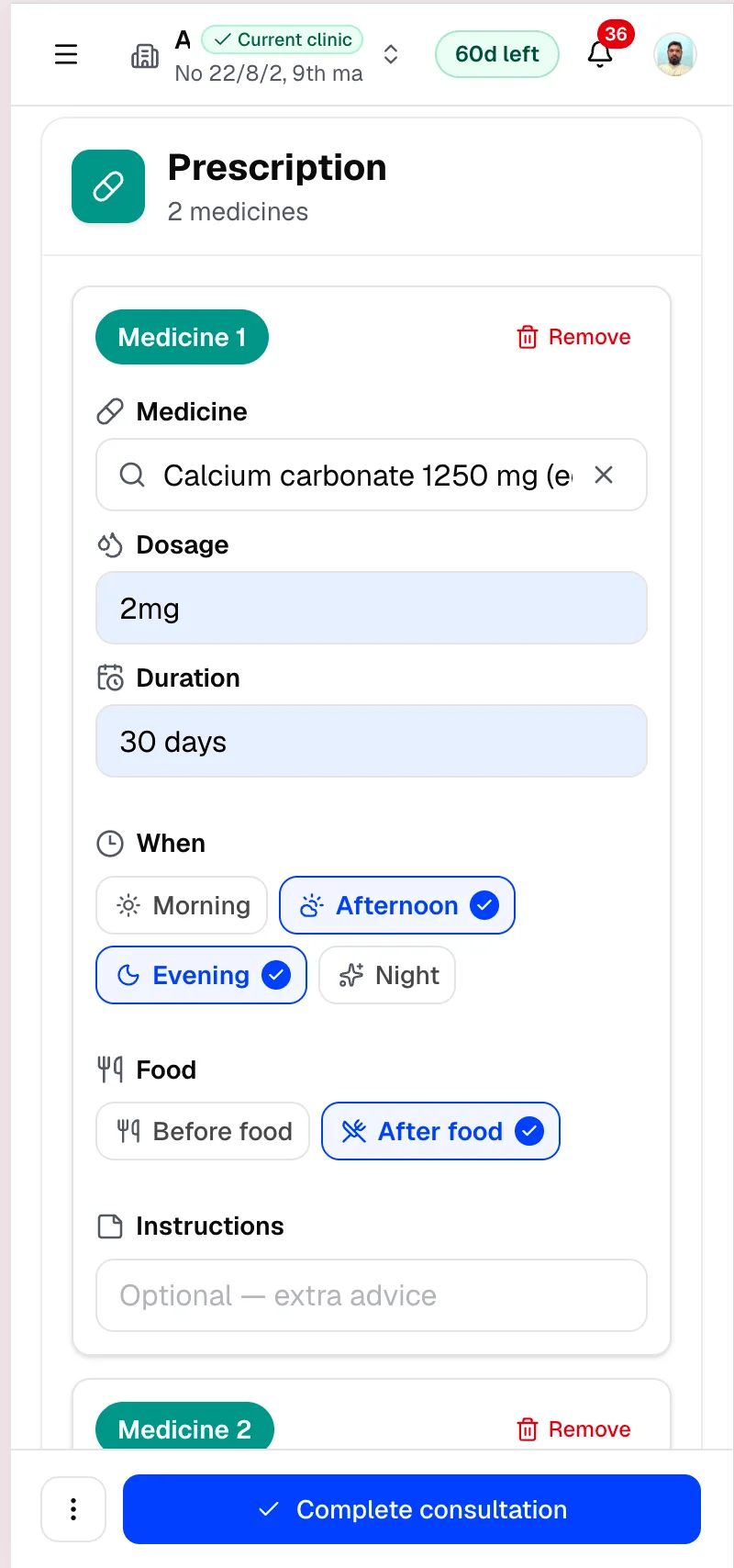
Medicines in consultation
Add dosage and instructions during the visit workspace.
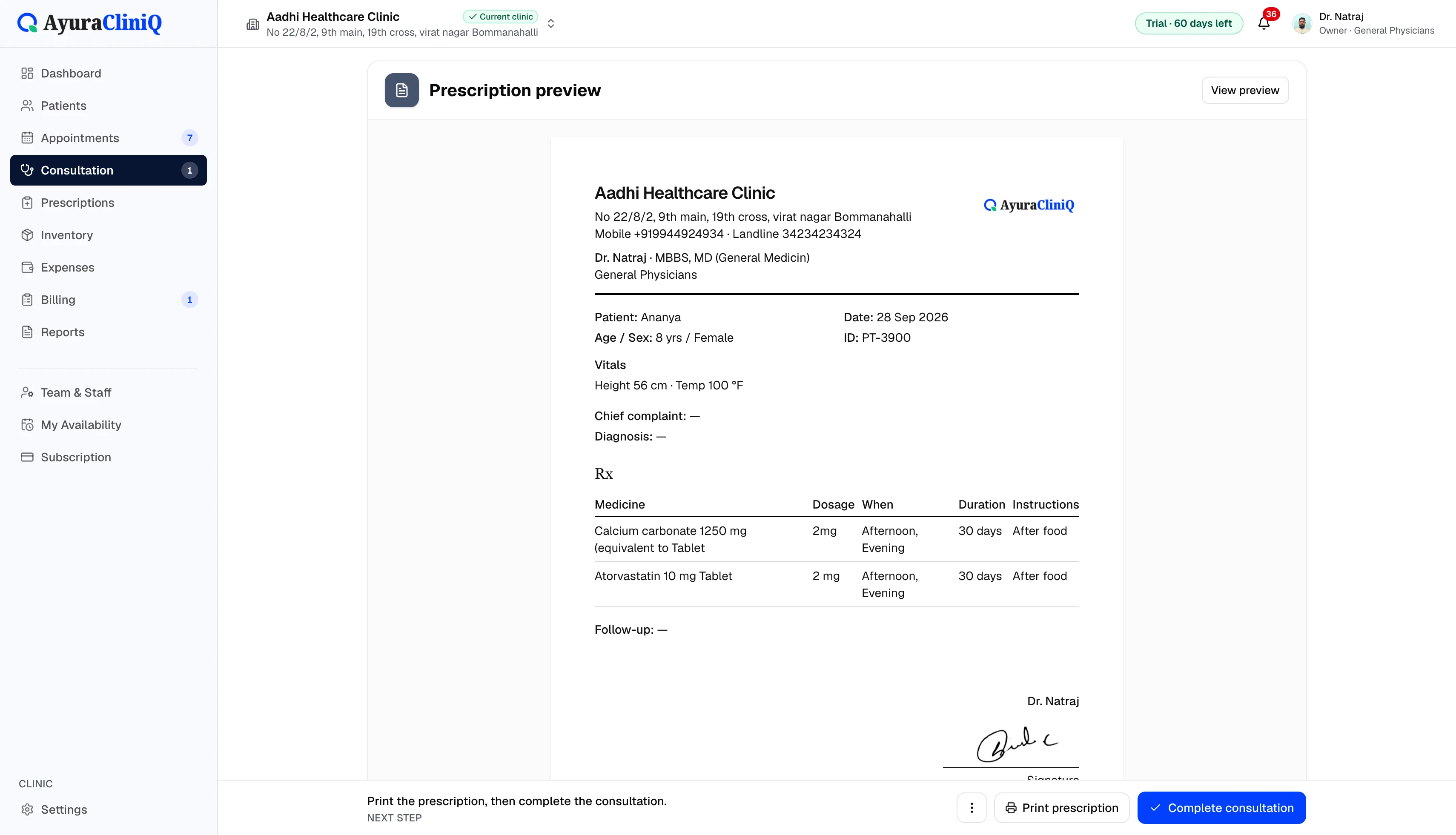
Prescription preview
See the formatted Rx before you print for the patient.
Print from clinic
Print from consultation or the prescriptions list.
Prescription register
Browse prescriptions issued from clinic consultations.
Tied to the visit
Every Rx stays linked to the appointment and patient.
Overview
From consultation to printed Rx
AyuraCliniQ digital prescription workflow lives inside the consultation. Doctors build the medicine list, adjust vitals display options, and print A4 prescriptions.
Reception and doctors can return to the prescriptions area to find past Rx for a patient visit when needed.
Workflow
Prescription flow
- 1
Add medicines with dosage and instructions in consultation
- 2
Preview the formatted prescription
- 3
Print from the consultation or prescriptions list
- 4
Reopen a visit prescription when updates are needed
In the product
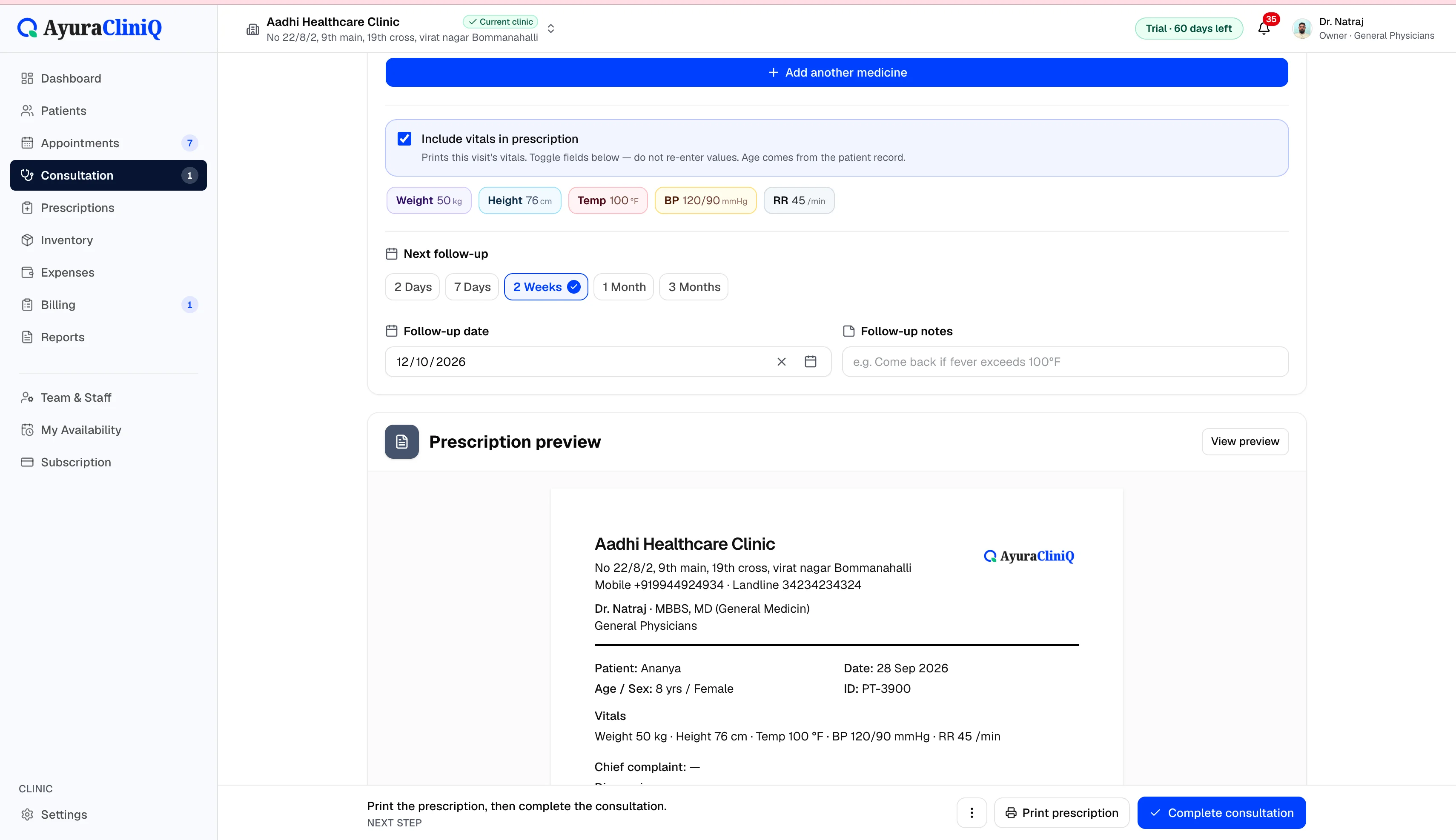
Clear prescriptions for patients and pharmacies
Letterhead support
Use clinic profile settings for name, logo, and contact on printouts.
Prescription register
Browse prescriptions issued from clinic consultations.
Tied to the visit
Prescriptions stay linked to the appointment and patient record.
Related features
Consultation
Doctor consultation software in a focused workspace
Open a visit from the queue or appointment, capture complaint and examination notes, record vitals, and prepare the prescription without leaving the screen.
Patients
Patient management software with fast mobile search
Find returning patients quickly, keep contact and identity details organised, and open profiles with visit history beside every new appointment.
FAQ
Frequently asked questions
No. It focuses on prescribing and printing, not pharmacy stock management.
Not in the current product. Prescriptions are prepared and printed from the clinic workspace.
Ready to simplify your clinic workflow?
60 days free · No credit card required · Free setup for doctors and receptionists