
Expense management
Clinic expense management alongside your OPD workflow
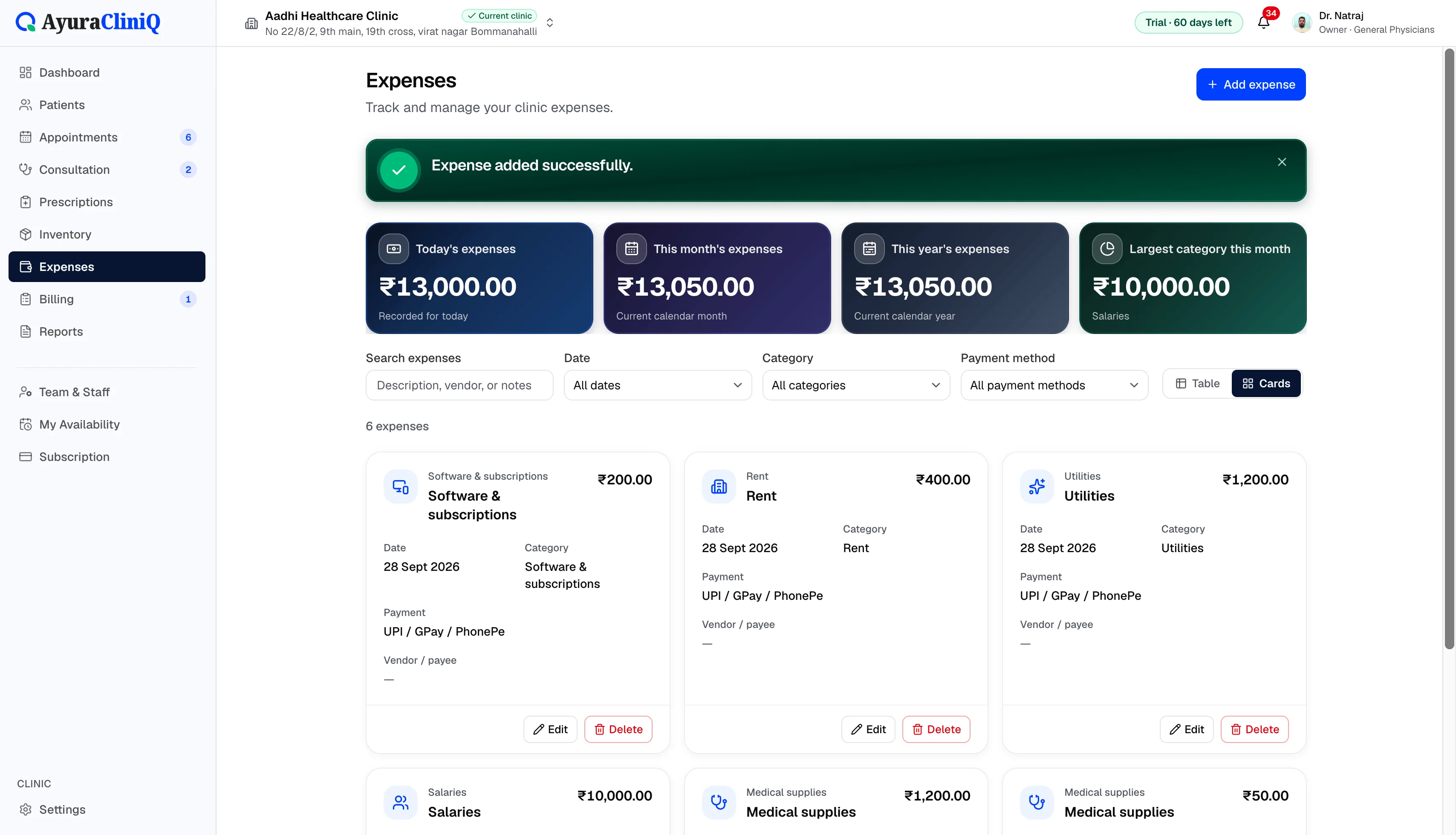
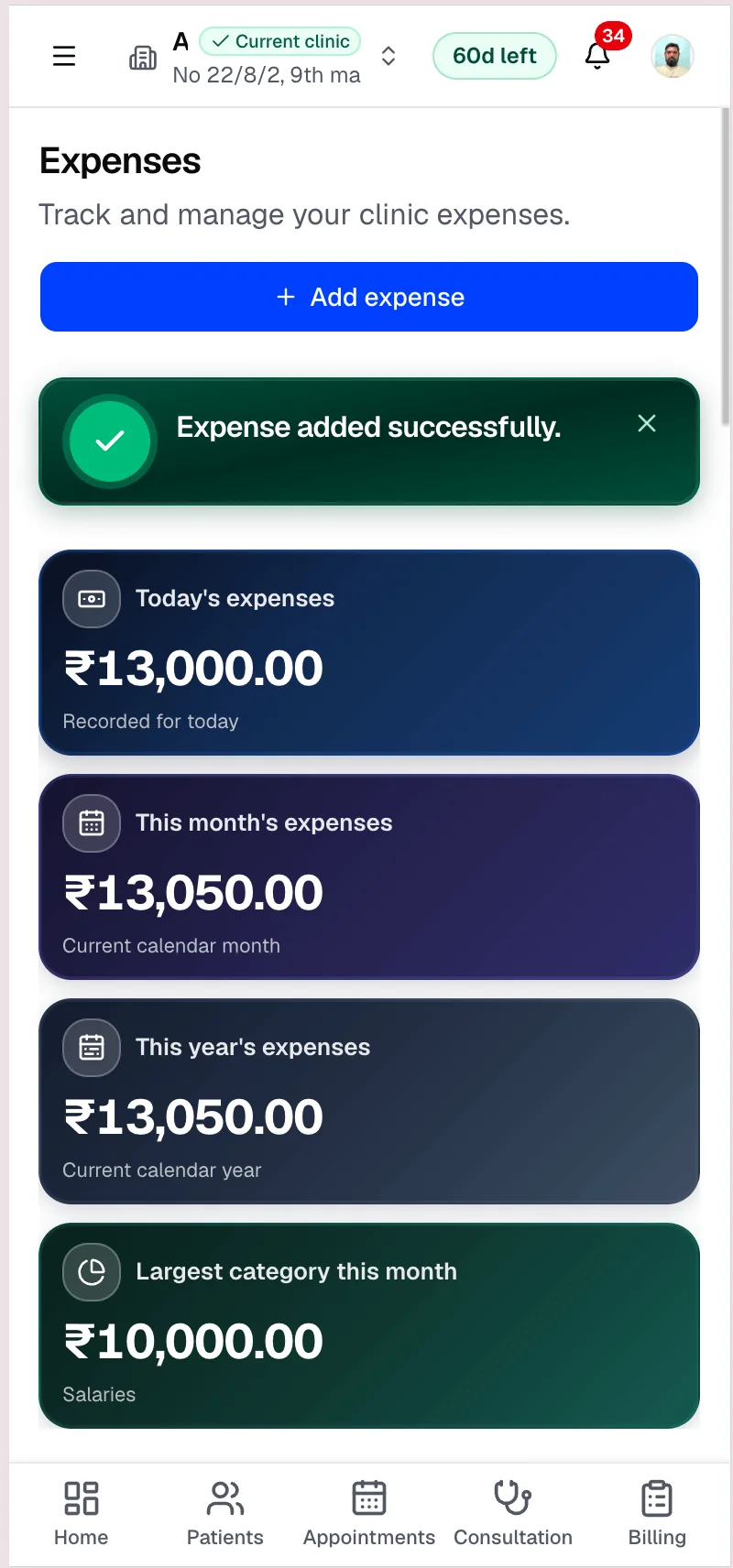
Log rent, salaries, supplies, and other clinic costs with categories and payment methods — then search, filter, and review totals from the expenses overview.
Capabilities
What you can do
Expense tracking
Create, edit, and review clinic expenses with date and amount.
Categories
Classify costs with built-in categories such as rent and utilities.
Payment methods
Record cash, UPI, card, bank transfer, and other methods.
Vendor or payee
Optional vendor or payee field on each expense record.
Search and filtering
Find expenses in the list with search and filter controls.
Clinic expense overview
Overview metrics summarise expense activity from your clinic data.
Overview
What expense management includes today
AyuraCliniQ expenses let you create, edit, and delete clinic expense records with expense date, amount in rupees, category, payment method, optional vendor or payee, and description. The expenses list supports search and filtering; overview metrics summarise today’s expenses and broader clinic expense activity from the loaded data.
This is operational clinic expense tracking — not full accounting, payroll, or tax filing. Patient billing and workspace subscription charges remain in their respective areas.
Workflow
Expense tracking workflow
- 1
Open Expenses from the clinic navigation
- 2
Add an expense with date, amount, category, and payment method
- 3
Record vendor or payee and a short description
- 4
Search or filter the expense list when reviewing month-end
- 5
Check overview metrics for today and recent activity
Clinic costs in one place
Structured categories
Use built-in expense categories such as rent, salaries, utilities, and medical supplies.
Payment methods
Record how each expense was paid — cash, UPI, card, bank transfer, and more.
Find expenses quickly
Search and filter the expense list when you need a specific vendor or period.
Related features
Reports
Clinic reports for the range you care about
See total patients, appointments, completed consultations, and paid revenue for today, this month, or a custom range — with charts and a daily activity table inside your clinic workspace.
Billing
Clinic billing software linked to each visit
Create invoices from completed visits, add line items with tax, record payments, and see today’s billing metrics — in rupees.
Inventory & medicines
Clinic inventory and medicine management in your workspace
Maintain medicine and medical supply stock for your clinic — add items manually or from the global medicine catalogue, receive batches, and monitor quantities and expiry alongside OPD.
Clinic settings
Clinic settings that power letterhead, team, and billing defaults
Set up your clinic name and address, upload a logo for printouts, manage team members, and configure defaults such as tax on invoices — all from the owner’s workspace settings.
FAQ
Frequently asked questions
No. Expenses are clinic-level records, separate from patient invoices.
Access follows clinic role permissions configured by the owner in Settings.
Ready to simplify your clinic workflow?
60 days free · No credit card required · Free setup for doctors and receptionists