
Patients
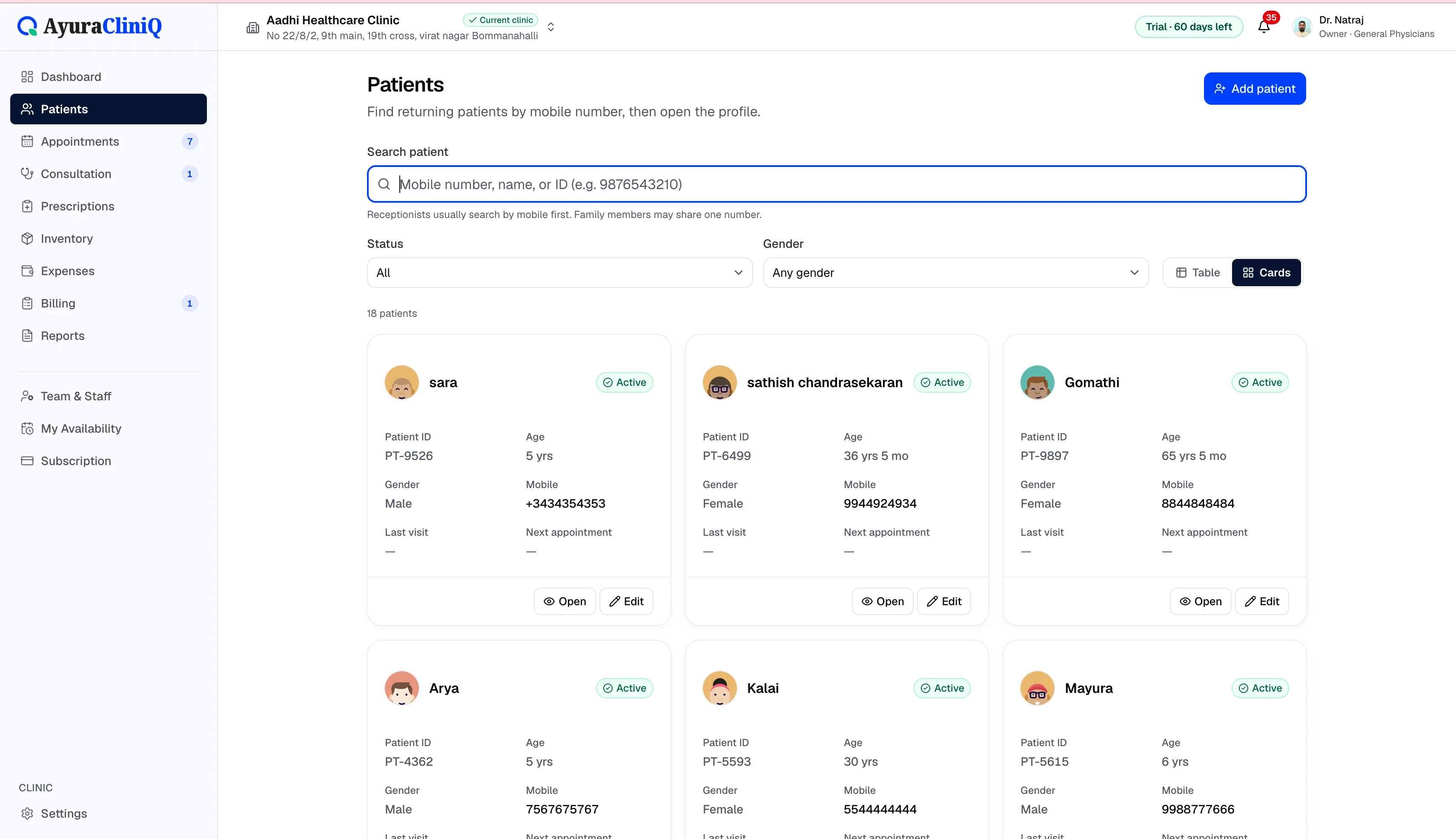
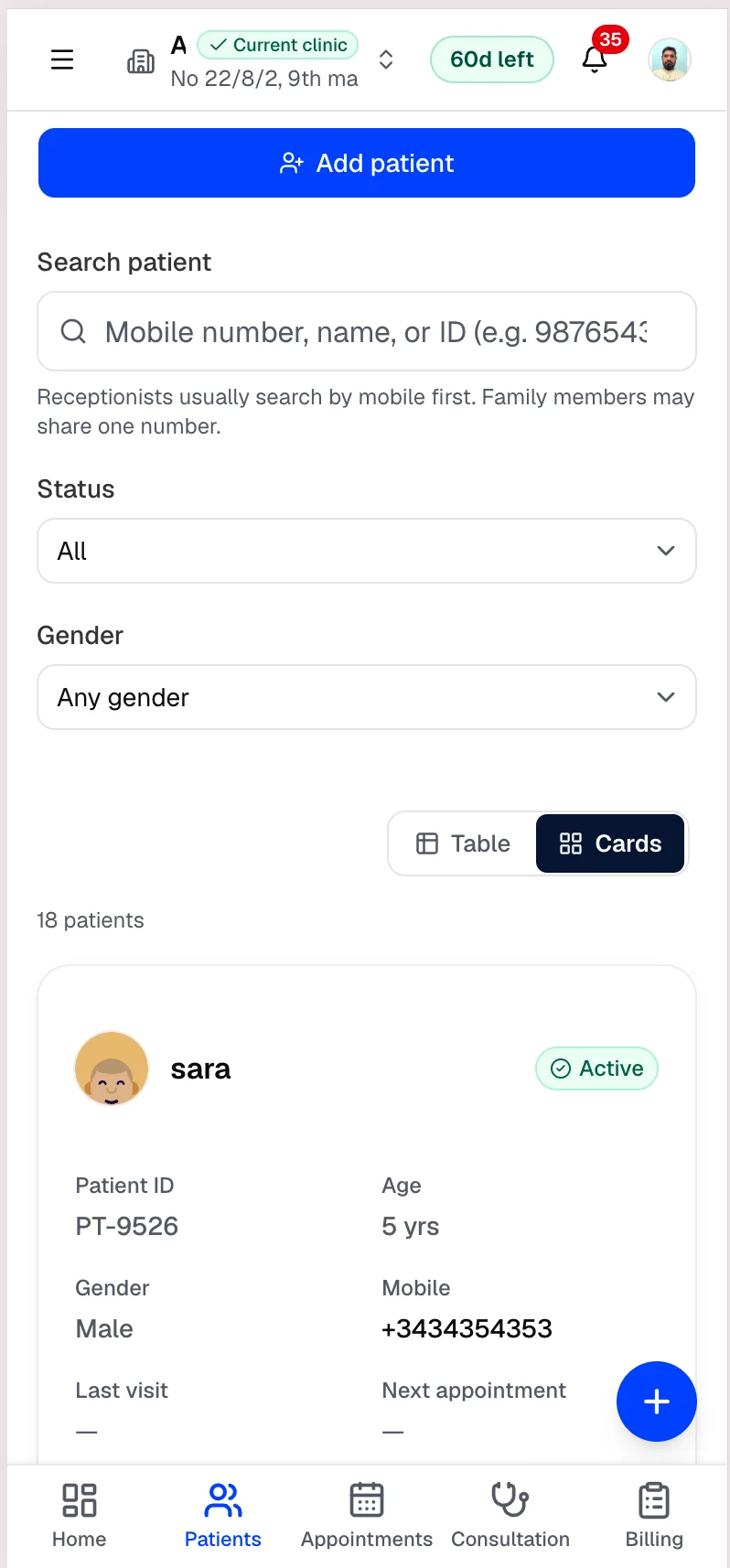
Patient management softwarewith fast mobile search
Find returning patients quickly, keep contact and identity details organised, and open profiles with visit history beside every new appointment.
Capabilities
What you can do
Patient demographics
Register identity, contact, and details reception needs.
Fast search
Search by name, mobile number, or clinic patient ID.
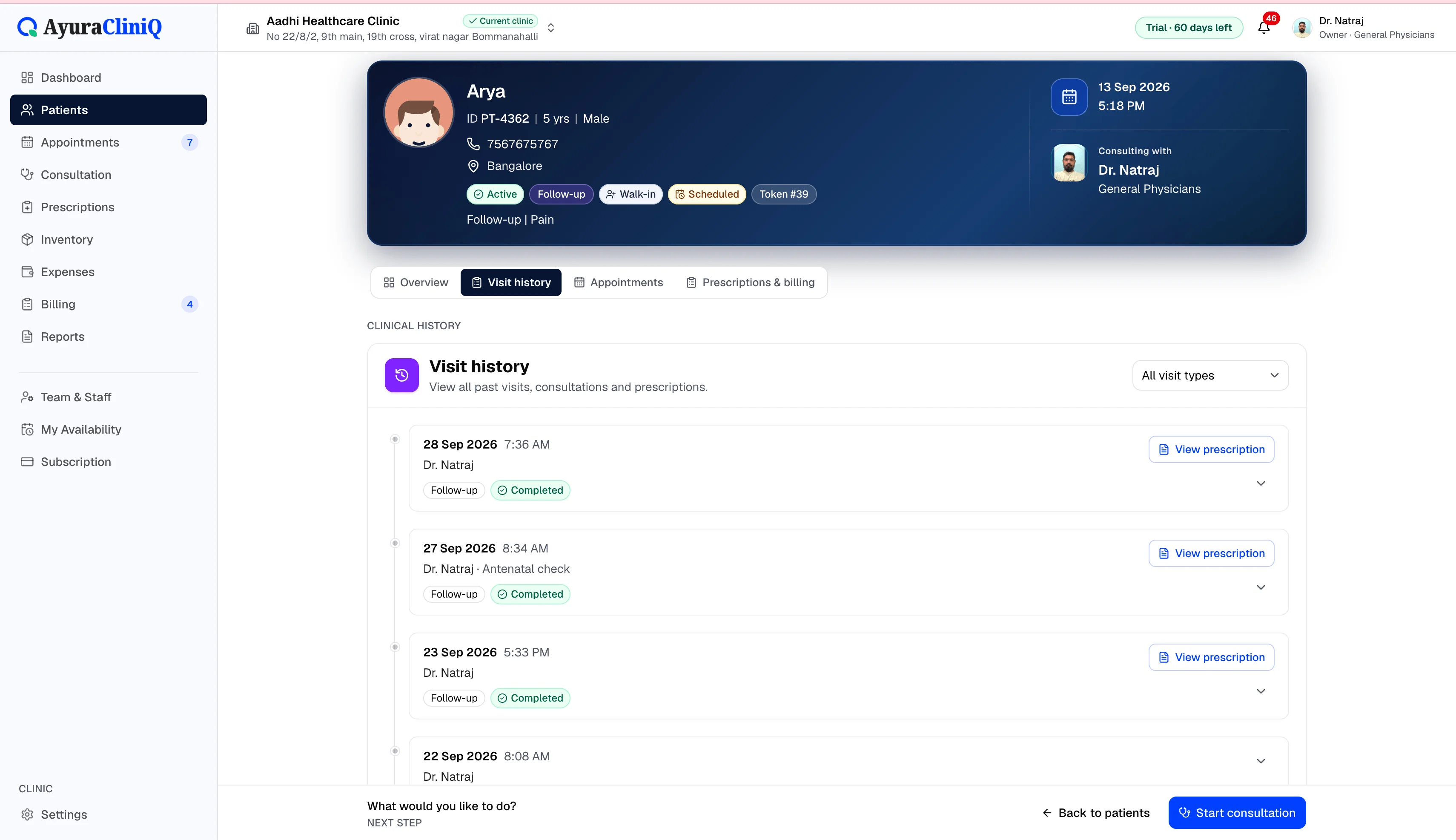
Profile and visit history
Open past visits, prescriptions, and invoices from one record.
Billing context
See billing summaries beside the patient profile.
Workspace isolation
Each clinic’s patients stay in that clinic’s workspace.
Overview
Profiles that support the full visit
Patient management in AyuraCliniQ covers registration, search, filters, and the patient profile with identity, contact, family links, visit history, and billing summaries.
Doctors and reception work from the same patient record — reducing duplicate entry across consultation and billing.
Workflow
Patient management in practice
- 1
Register a new patient with core demographics
- 2
Search by name, mobile, or clinic ID at reception
- 3
Open the profile for history, appointments, and billing context
- 4
Update details when the patient returns
In the product
Why patient records stay usable
Fast lookup
Designed for fast mobile search and busy front desks.
Profile + history
See past visits, prescriptions, and invoices from the patient record.
Workspace isolation
Each clinic’s patients stay in that clinic’s workspace.
Related features
Appointments
Doctor appointment software your reception can trust
Plan visits by day and doctor, track status from scheduled to completed, and open the right patient record in one click.
Consultation
Doctor consultation software in a focused workspace
Open a visit from the queue or appointment, capture complaint and examination notes, record vitals, and prepare the prescription without leaving the screen.
Prescriptions
Digital prescription software with print-ready Rx sheets
Add medicines during consultation, preview the prescription with your clinic branding, and print for the patient — with a clinic-wide list of saved prescriptions.
FAQ
Frequently asked questions
No. AyuraCliniQ is staff-facing clinic software, not a patient portal.
Yes. Patient profiles include contact and emergency contact fields.
Ready to simplify your clinic workflow?
60 days free · No credit card required · Free setup for doctors and receptionists