
Inventory & medicines
Clinic inventory and medicine management in your workspace
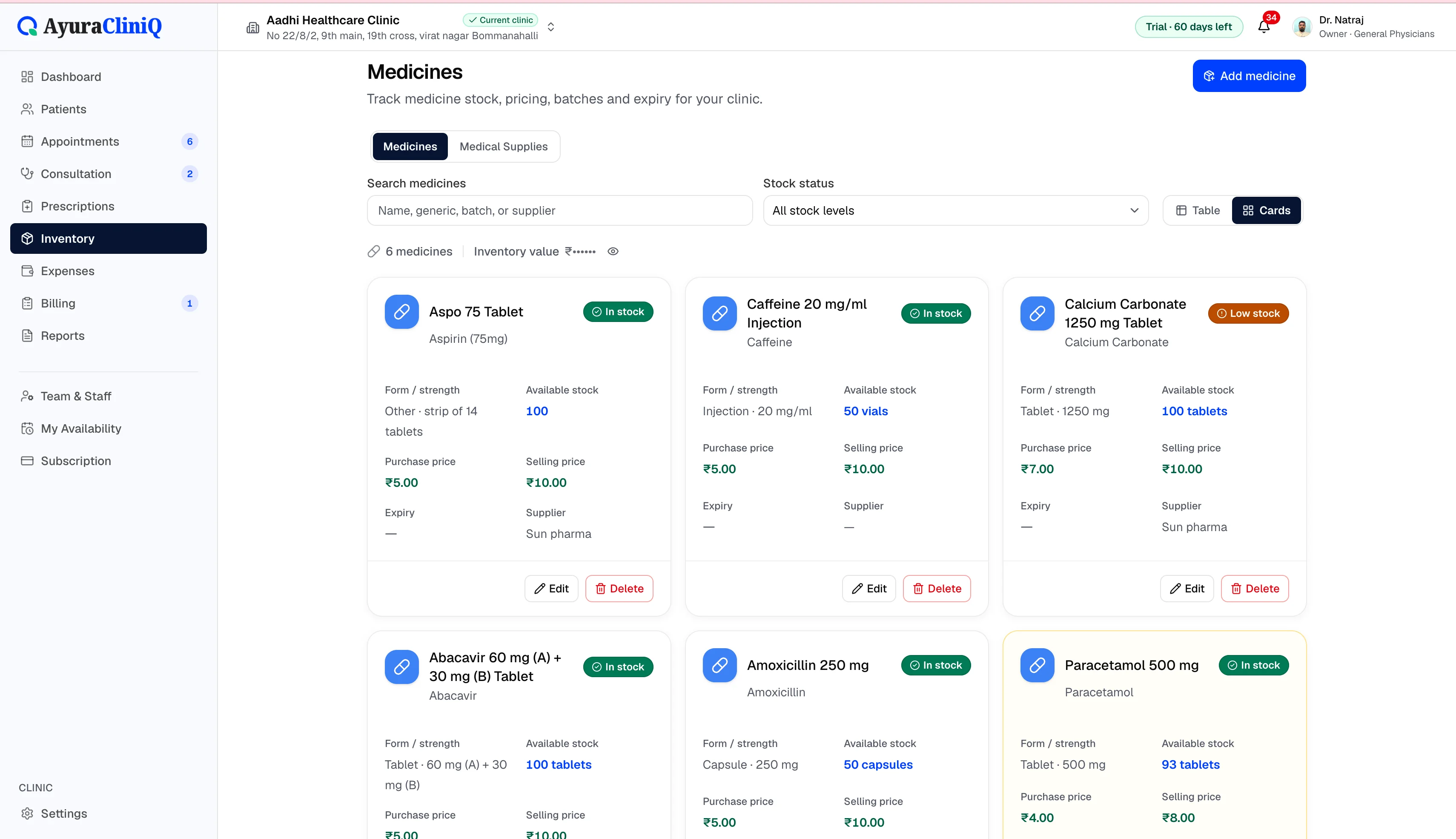
Maintain medicine and medical supply stock for your clinic — add items manually or from the global medicine catalogue, receive batches, and monitor quantities and expiry alongside OPD.
Capabilities
What you can do
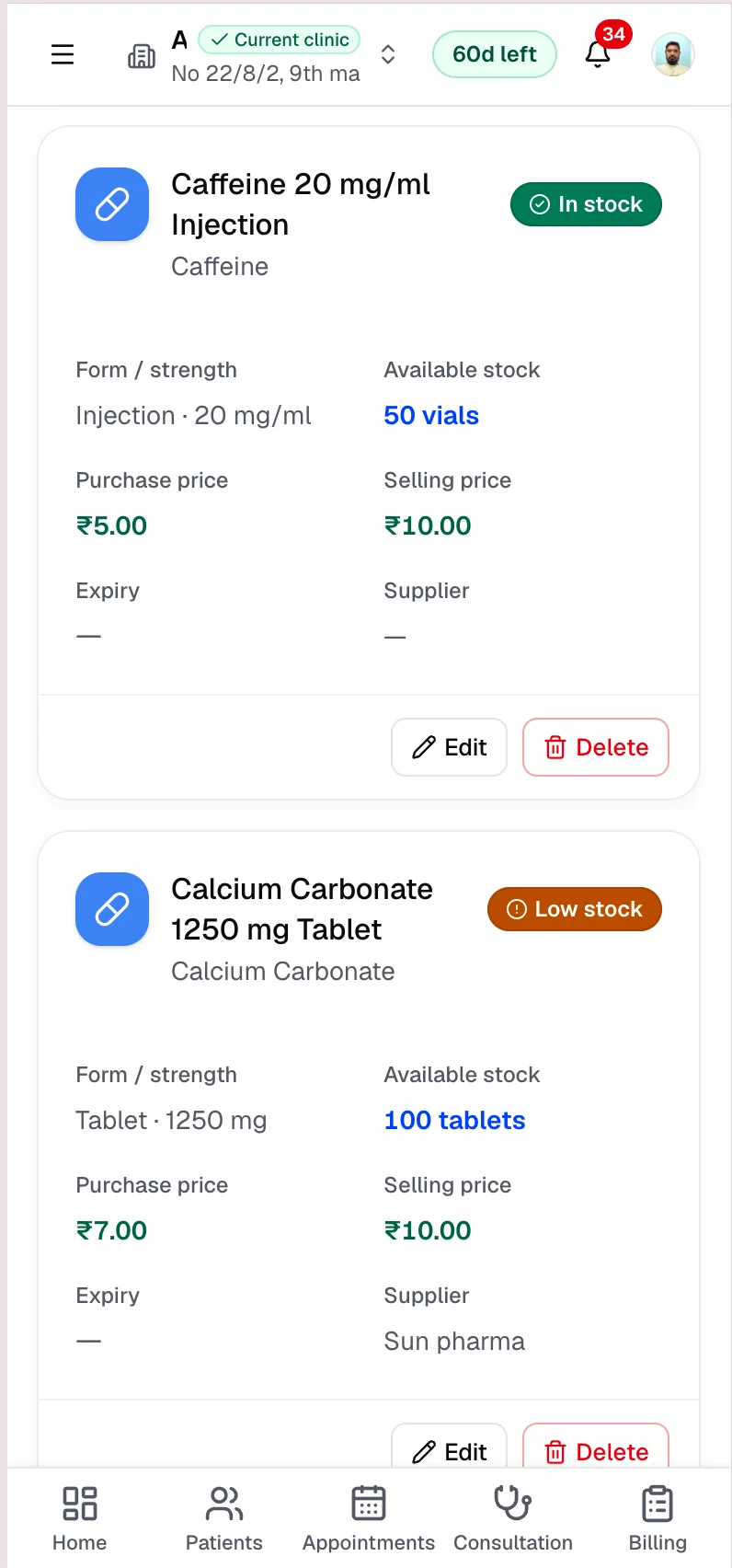
Medicine inventory
Add and manage clinic medicines with strength, form, and stock.
Medical supplies
Track supply items with units, batches, and stock levels.
Stock batches
Receive inventory in batches with batch numbers and dates.
Stock quantities
See available quantity per batch and totals on each product.
Purchase and selling prices
Record purchase and selling price per unit on each batch.
Expiry tracking
Store expiry dates on batches and highlight near-expiry stock.
Suppliers
Capture supplier name on batches when you receive stock.
Global medicine catalogue
Search catalogue entries to pre-fill medicine identity when configured.
Overview
What clinic inventory includes today
AyuraCliniQ inventory covers clinic medicines and medical supplies — not pharmacy POS for walk-in retail. You can search the global medicine catalogue to pre-fill product identity, then add clinic stock, reorder levels, and batch details. Each batch stores available quantity, purchase and selling price per unit, expiry date, and supplier name.
Overview cards summarise total units, low-stock items, near-expiry batches, and inventory value from loaded stock. Inventory is part of the signed-in clinic workspace and respects your clinic’s data isolation.
Workflow
Inventory workflow in AyuraCliniQ
- 1
Open Inventory from the clinic navigation
- 2
Add a medicine from the catalogue or enter details manually
- 3
Receive stock in batches with quantity and pricing
- 4
Review available stock, expiry, and suppliers on each item
- 5
Add or adjust batches when new stock arrives
Stock visibility for clinic operations
Medicines and supplies
Separate flows for medicine inventory and medical supply inventory in one module.
Batch-level detail
Track batch numbers, received dates, purchase and selling prices per batch.
Expiry awareness
See expiry dates on batches and spot near-expiry stock on overview metrics.
Related features
Billing
Clinic billing software linked to each visit
Create invoices from completed visits, add line items with tax, record payments, and see today’s billing metrics — in rupees.
Reports
Clinic reports for the range you care about
See total patients, appointments, completed consultations, and paid revenue for today, this month, or a custom range — with charts and a daily activity table inside your clinic workspace.
Expense management
Clinic expense management alongside your OPD workflow
Log rent, salaries, supplies, and other clinic costs with categories and payment methods — then search, filter, and review totals from the expenses overview.
Patients
Patient management software with fast mobile search
Find returning patients quickly, keep contact and identity details organised, and open profiles with visit history beside every new appointment.
FAQ
Frequently asked questions
Consultation prescribing and clinic inventory are separate today — inventory tracks stock you manage in the Inventory module.
Catalogue search depends on your environment configuration; you can always add medicines manually when catalogue search is unavailable.
Ready to simplify your clinic workflow?
60 days free · No credit card required · Free setup for doctors and receptionists