
Consultation
Doctor consultation softwarein a focused workspace
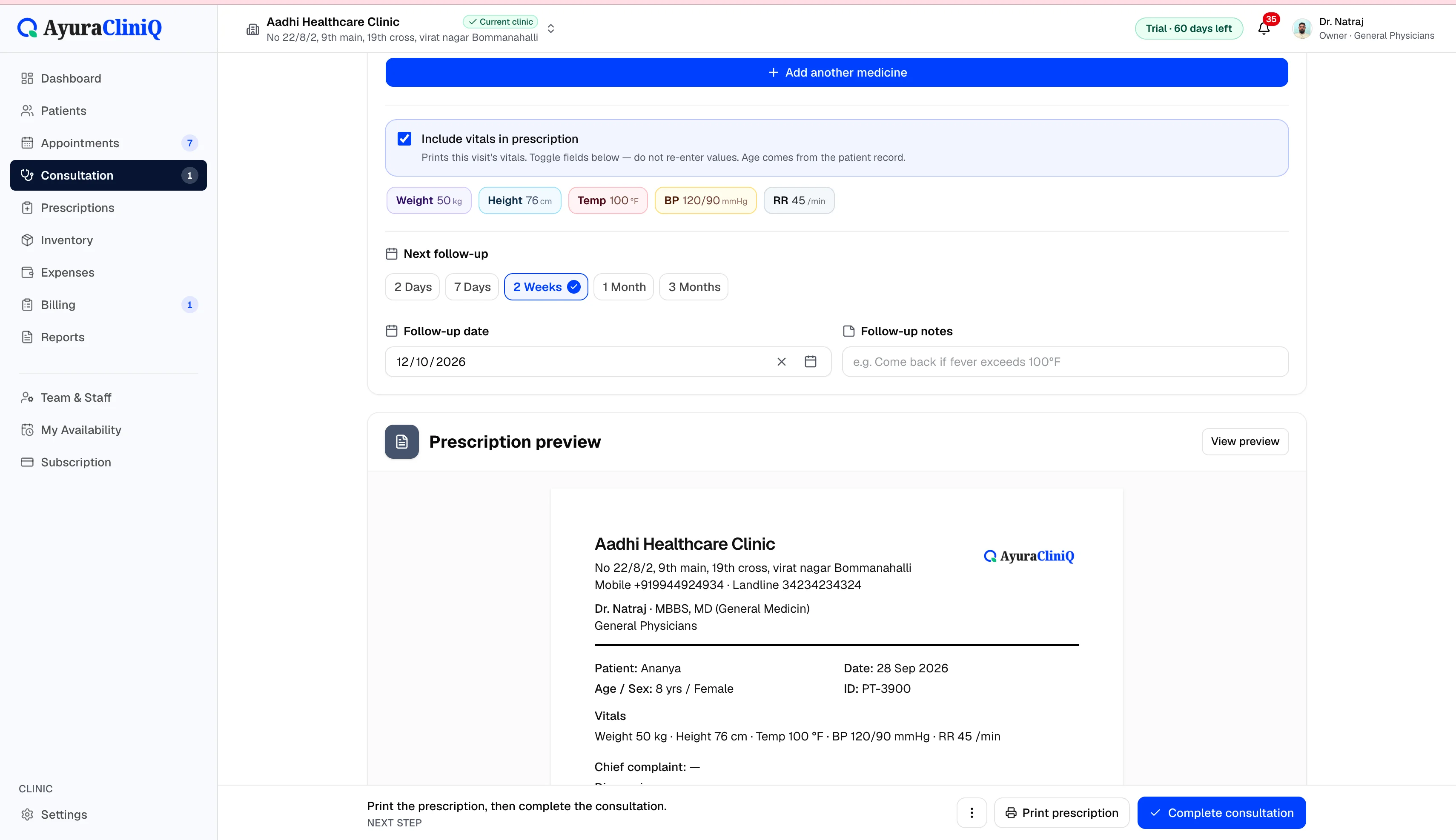
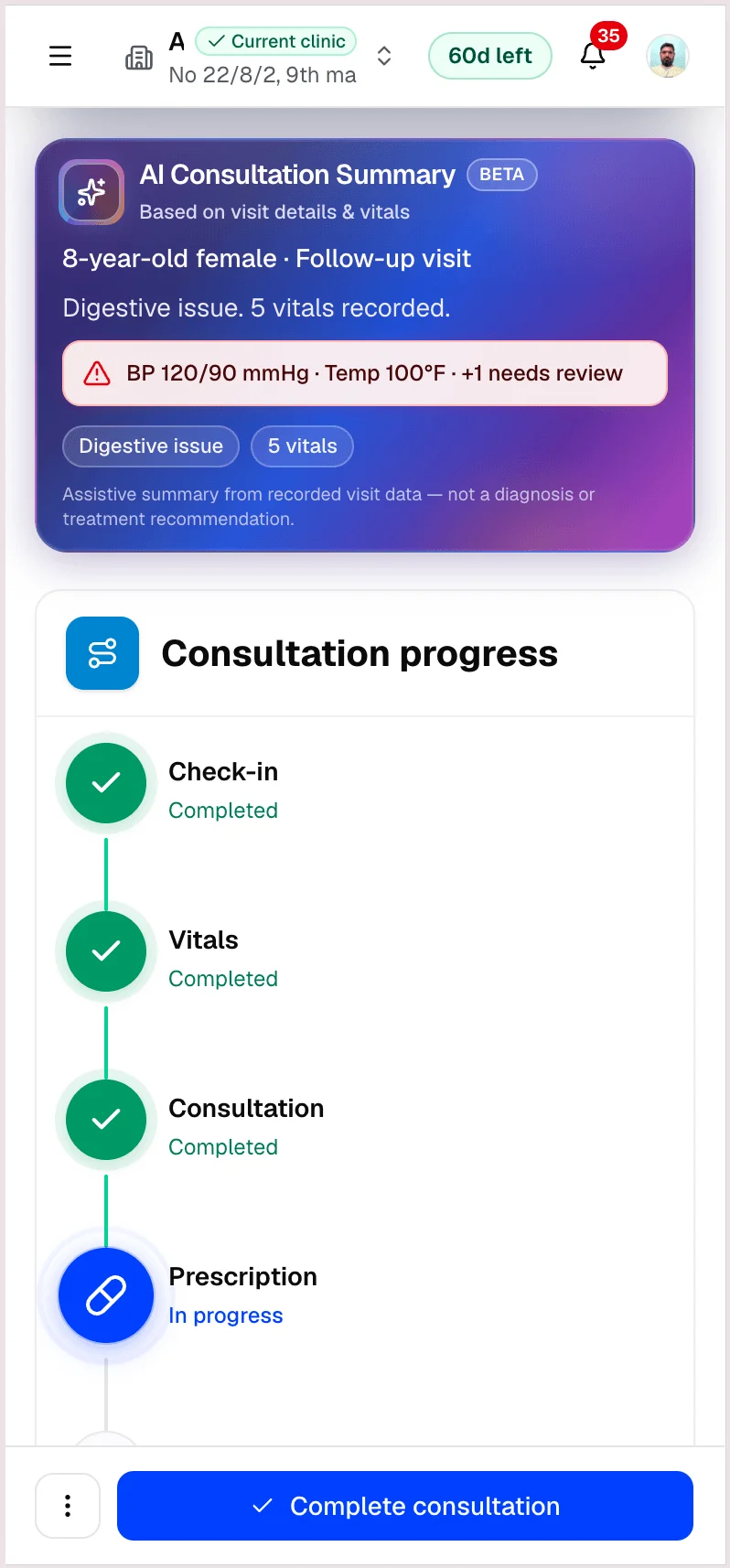
Open a visit from the queue or appointment, capture complaint and examination notes, record vitals, and prepare the prescription without leaving the screen.
Capabilities
What you can do
Start from queue or appointment
Open the visit from today’s queue or a scheduled slot.
Review prior visits
Patient summary and history stay visible while you document.
Notes and vitals
Capture complaint, examination, and vitals on the visit.
Prescription preview and print
Build medicines and preview letterhead Rx before printing.
Send to reception
Hand off completed visits for billing with the right context.
Overview
Consultation that stays connected to billing
The consultation workspace is where doctors complete the clinical part of a visit. Notes and vitals save to the visit record. Medicines added during consultation feed the prescription and print flow.
When reception is ready to bill, the visit can be marked sent to reception so billing opens with the right appointment context.
Workflow
Consultation workflow
- 1
Start consultation from queue or appointment
- 2
Review patient summary and prior visits
- 3
Record notes and vitals for this visit
- 4
Build medicines and preview the prescription
- 5
Send to reception when the visit is complete
Built for daily consulting
Context beside notes
Patient summary and previous visits stay visible while you document.
Structured vitals
Capture vitals during the visit with fields your clinic already uses.
Print-ready Rx
Live prescription preview with clinic letterhead when configured.
Related features
Prescriptions
Digital prescription software with print-ready Rx sheets
Add medicines during consultation, preview the prescription with your clinic branding, and print for the patient — with a clinic-wide list of saved prescriptions.
Queue
Clinic queue management for today’s waiting room
See who checked in, who is waiting, and who is with the doctor — then start consultation when the room is ready.
Billing
Clinic billing software linked to each visit
Create invoices from completed visits, add line items with tax, record payments, and see today’s billing metrics — in rupees.
FAQ
Frequently asked questions
No. It is documentation and workflow software; clinical decisions remain with your licensed practitioners.
Yes. Prescription preview and print are available from the consultation workspace.
Ready to simplify your clinic workflow?
60 days free · No credit card required · Free setup for doctors and receptionists