
Staff & reception
Staff and reception workflows in one clinic workspace
Owners invite receptionists and doctors, control what each role can do, and give the front desk the tools to register patients, manage today’s queue, and bill after consultation.
Capabilities
What you can do
Roles and permissions
Control what owners, doctors, and reception can access.
Reception workflow
Patients, appointments, queue, and billing from the front desk.
Team invitations
Owners invite staff to the clinic workspace by email.
Shared patient record
Reception and doctors use one profile per patient.
Overview
What reception can do today
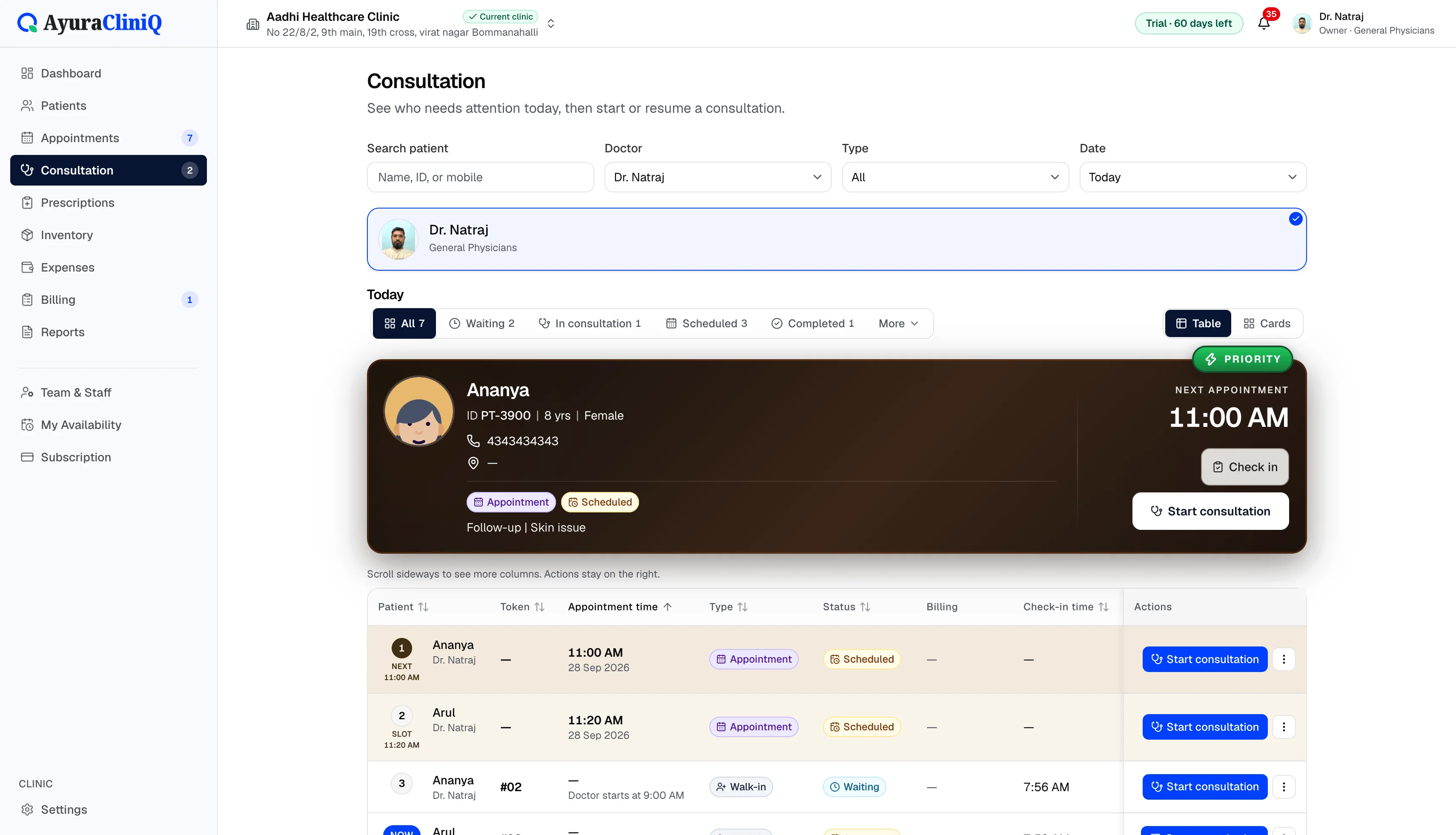
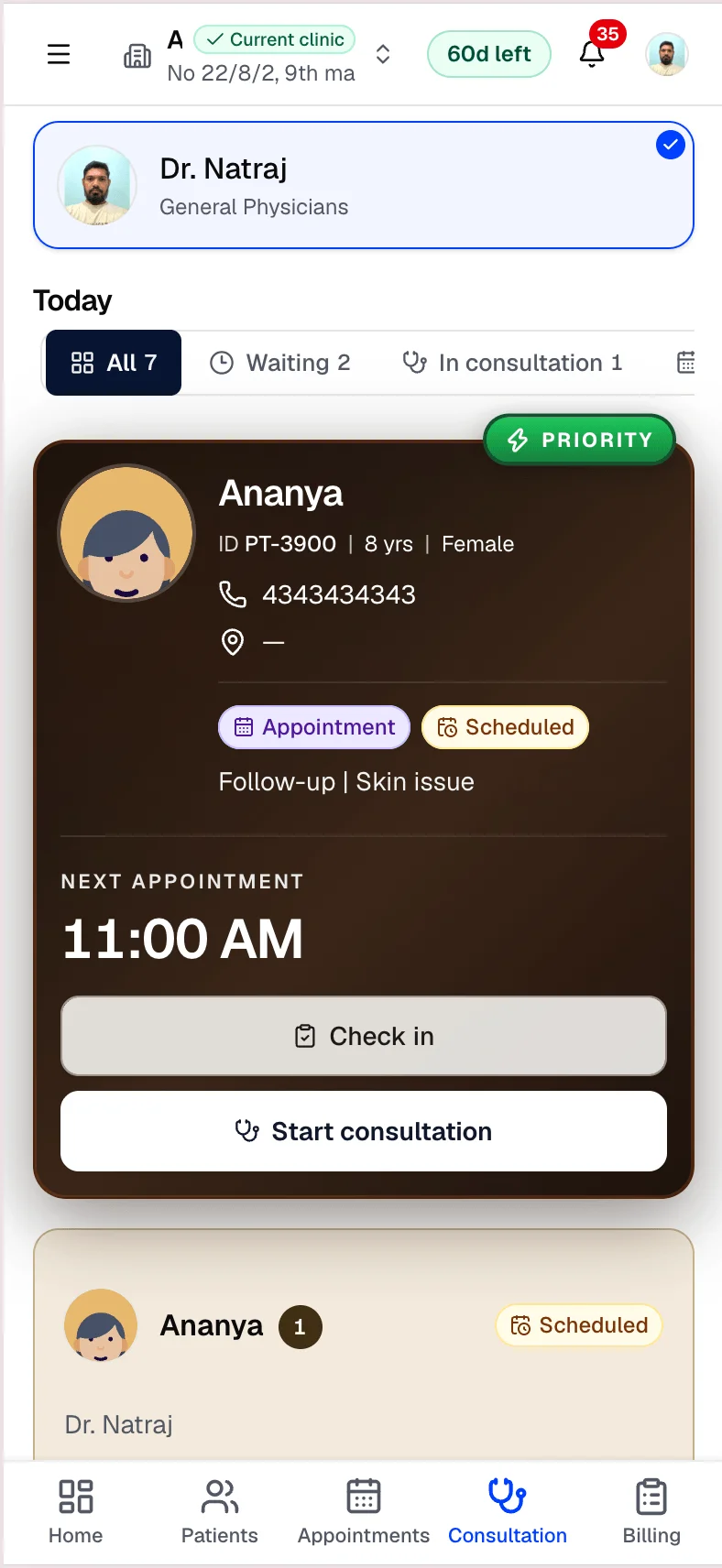
With the right permissions, reception manages patient registration and search, appointment booking and status, walk-in check-in, the live queue, and clinic invoices after the doctor sends a visit to reception. Billing permissions control who can collect payments or void invoices.
Doctors use consultation, prescription, and queue actions for their own visits. Owners manage the team, clinic profile, and subscription from Settings inside the signed-in workspace — not from a public marketing page.
Workflow
Reception and team workflow
- 1
Owner invites staff with owner, doctor, or receptionist roles
- 2
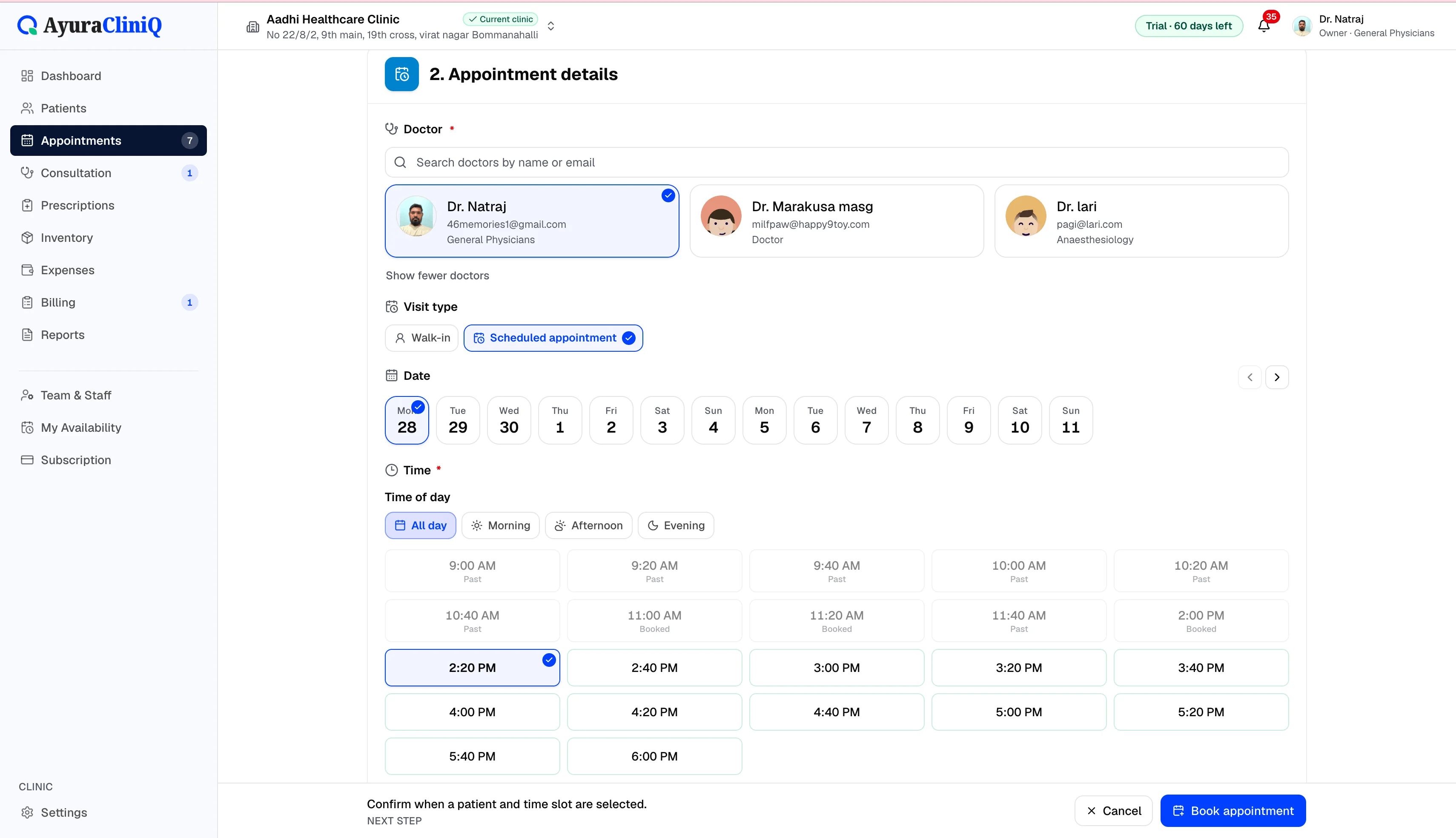
Reception registers patients and books or checks in visits
- 3
Walk-ins and scheduled patients move through today’s queue
- 4
After consultation, reception bills from ready-to-bill or the appointment
In the product
Front desk and permissions together
Role-based access
Owners configure permissions for patients, appointments, clinical work, billing, and reports.
Same patient record
Reception and doctors work from one profile per patient — no duplicate charts.
Invitations
Add team members to the clinic workspace with email invitations the owner manages.
Related features
Queue
Clinic queue management for today’s waiting room
See who checked in, who is waiting, and who is with the doctor — then start consultation when the room is ready.
Appointments
Doctor appointment software your reception can trust
Plan visits by day and doctor, track status from scheduled to completed, and open the right patient record in one click.
Billing
Clinic billing software linked to each visit
Create invoices from completed visits, add line items with tax, record payments, and see today’s billing metrics — in rupees.
Clinic settings
Clinic settings that power letterhead, team, and billing defaults
Set up your clinic name and address, upload a logo for printouts, manage team members, and configure defaults such as tax on invoices — all from the owner’s workspace settings.
FAQ
Frequently asked questions
Only if an owner grants clinical permissions. Default reception-focused roles emphasise patients, appointments, and billing — not consultation notes.
No. Reception staff are included as part of your clinic workspace; plan limits apply to staff counts.
Ready to simplify your clinic workflow?
60 days free · No credit card required · Free setup for doctors and receptionists